
Introduction
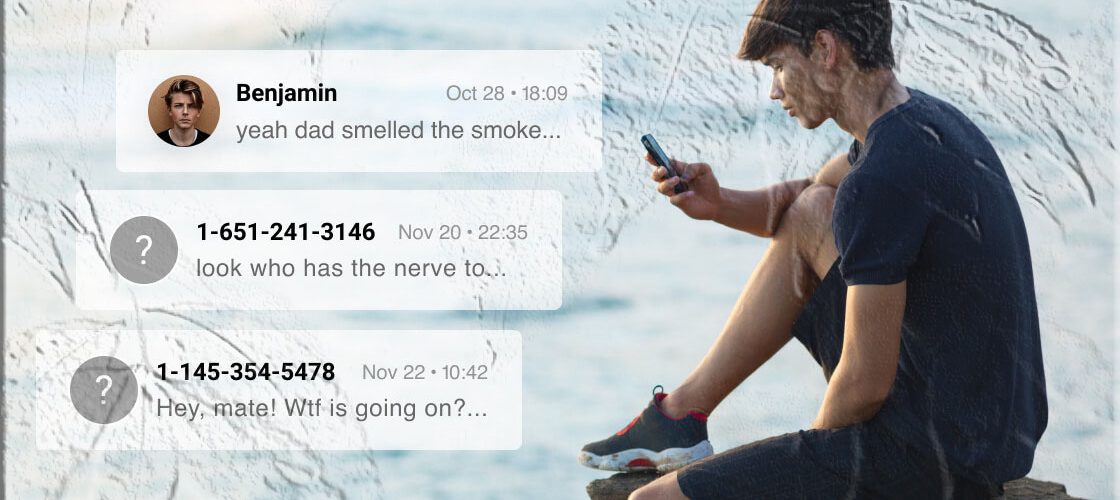
Monitoring a child’s mobile messaging can feel necessary and stressful at the same time. Parents want visibility into who their kids are talking to and what they share, while also protecting privacy and following the law. This guide explains how AppSpyFree’s SMS monitoring features work, how to set it up responsibly, what you can realistically expect to see, and how to interpret the information you receive. The goal is practical clarity: what the tool does, how to use it within legal boundaries, and how to keep family conversations constructive.
Why Parents Consider SMS Monitoring
- Safety and protection: Parents often want to know whether their child is exposed to bullying, harassment, or inappropriate content.
- Digital boundaries: Monitoring helps enforce household rules about screen time, contacts, and sharing personal information.
- Early intervention: Seeing warning signs early—like messages from unknown numbers or images that raise concern—lets parents act before problems escalate.
- Peace of mind: For parents of younger children or teens navigating new social dynamics, visibility into messaging can reduce anxiety.
Monitoring is not a substitute for open communication. It’s a tool to support conversations, not to replace them.
What AppSpyFree’s SMS Monitoring Offers
AppSpyFree provides a centralized control panel where authorized users can review SMS activity and supported messaging apps. Key capabilities typically include:
- View sent and received SMS messages — Read text conversations that occur through the device’s native SMS app.
- See message timestamps and contact details — Identify when messages were exchanged and which numbers or saved contacts were involved.
- Preview images and media attached to messages — View photos or images sent via SMS when available.
- Access messages remotely — Authorized users can log into a secure dashboard to review message history from any web-enabled device.
- Support for popular messaging apps — In addition to SMS, many monitoring solutions provide visibility into apps such as WhatsApp, Snapchat, Instagram Direct, Facebook Messenger, Telegram, and others when supported by the platform.
AppSpyFree is referenced here as the product name; check the official app listing on Google Play or the Apple App Store for the latest feature set and availability.
Legal and Responsible Use
Monitoring another person’s communications can have legal consequences if done without proper authorization. Parents should follow these principles:
- Obtain consent where required. Laws vary by country and region. In many jurisdictions, parents may monitor minor children’s devices, but it’s important to understand local regulations and school policies.
- Be transparent with older children. For teens, a conversation about why monitoring is in place and what will be reviewed helps build trust and reduces conflict.
- Limit scope and duration. Use monitoring to address specific concerns rather than as a permanent surveillance measure.
- Protect account credentials. Keep login information secure and restrict access to trusted adults only.
- Respect third parties. Messages involving other people should be handled sensitively; avoid sharing private conversations outside the family unless safety concerns require intervention.
Follow local laws and school rules, and consult a legal professional if you’re unsure about what’s permitted in your area.
How SMS Monitoring Works (High-Level)
Monitoring platforms typically operate through a combination of device-level access and cloud synchronization:
- Authorized installation: The monitoring app is installed on the device to be monitored with the account holder’s permission.
- Data collection: The app collects SMS and supported messaging app data from the device.
- Secure upload: Collected data is encrypted and uploaded to a secure server.
- Control panel access: Authorized users log into a web dashboard to view messages, media, timestamps, and contact information.
Exact mechanics differ by platform and operating system. Always follow the official setup instructions provided by the app developer.
Step‑by‑Step Setup (Responsible Approach)
Below is a general, responsible workflow for parents who choose to use AppSpyFree or a similar family monitoring solution. This assumes you have the legal right to monitor the device and that you follow local rules.
1. Prepare the devices
- Confirm ownership or permission. Ensure you own the device or have explicit permission from the account holder.
- Charge both devices. A full battery avoids interruptions during setup.
- Connect to Wi‑Fi. A stable connection speeds installation and data sync.
2. Create an account
- Register on the official site or app. Use a secure email and a strong password.
- Verify your email. Complete any verification steps required by the service.
3. Install the monitoring app on the target device
- Follow the official installer. Use the instructions provided after registration.
- Grant required permissions. The app will request access to SMS, media, and other relevant permissions to function correctly.
- Avoid workarounds. Do not attempt to bypass device security or use methods that violate terms of service.
4. Pair devices and configure settings
- Bind the target device to your account. This typically involves entering a code or scanning a QR code.
- Choose which data to collect. Many platforms let you enable or disable specific features (SMS, app messages, media).
- Set notification preferences. Decide whether you want alerts for specific keywords, unknown numbers, or media attachments.
5. Review and maintain
- Log into the control panel. Check message logs, media, and contact lists.
- Update the app regularly. Keep both devices and the monitoring app up to date for security and compatibility.
- Revisit permissions and access. Periodically confirm that only authorized adults can view the dashboard.
What You Can Expect to See
- Complete SMS threads that were sent and received on the device’s native messaging app.
- Contact names or phone numbers depending on whether the number is saved in the device’s address book.
- Timestamps showing when messages were sent or received.
- Media previews for images and sometimes short videos attached to messages.
- App-specific messages for supported third‑party messaging apps, subject to platform limitations and permissions.
Limitations may apply based on the device’s operating system, app encryption, and privacy settings. For example, end‑to‑end encrypted messages in some apps may not be fully accessible unless the monitoring solution supports that specific app and the device configuration allows it.
Interpreting What You Find
- Context matters. A single message rarely tells the whole story. Look at conversation history and patterns rather than isolated lines.
- Ask before acting. If you find concerning content, approach the child calmly and ask open questions to understand the situation.
- Document serious issues. If you encounter threats, harassment, or illegal activity, preserve evidence and contact appropriate authorities or school officials.
- Use findings to guide conversations. Share examples (without shaming) to teach safer online behavior and set clear expectations.
Common Use Cases for Parents
- Bullying detection: Spot repeated hostile messages or unknown contacts.
- Image sharing oversight: Identify when photos are being exchanged and whether they are age‑appropriate.
- Contact verification: Confirm whether a child is communicating with unknown or suspicious numbers.
- Time management: Monitor late‑night messaging that may affect sleep and school performance.
- Reassurance: For younger children, parents can confirm that check‑in messages are being sent and received.
Limitations and Technical Notes
- Encrypted apps: Some messaging platforms use end‑to‑end encryption that prevents third‑party access unless the monitoring solution has explicit support and the device configuration permits it.
- Platform restrictions: iOS and Android handle permissions differently; features available on one platform may not be available on the other.
- Deleted messages: If a message is deleted on the device before the monitoring app syncs, it may not appear in the dashboard.
- Network dependency: Remote access requires the monitored device to be online to upload new data.
- False positives: Automated keyword alerts can flag benign messages; human review is essential.
Practical Advice for Parents
- Set clear family rules about device use and messaging.
- Schedule regular check‑ins rather than continuous surveillance to maintain trust.
- Teach digital literacy: explain why certain content is risky and how to respond to strangers online.
- Keep evidence secure if you need to escalate a serious concern to authorities or school administrators.
- Balance oversight with independence as children grow; adjust monitoring levels to match maturity and responsibility.
Troubleshooting Common Issues
- No messages appearing: Confirm the monitored device is connected to the internet and that the monitoring app has the necessary permissions.
- Missing media: Check whether media sync is enabled and whether the device’s storage settings allow media access.
- App crashes or errors: Update the monitoring app and the device’s operating system; restart both devices.
- Account access problems: Use the account recovery options provided by the service and secure your email account.
If problems persist, consult the official support resources for the monitoring product or the app store listing for troubleshooting steps.
Alternatives and Complementary Approaches
Monitoring apps are one tool among many. Consider combining them with:
- Parental controls built into the device or operating system for screen time and app restrictions.
- Router‑level controls to limit internet access during certain hours.
- Family agreements that outline acceptable use, consequences, and privacy expectations.
- Education programs that teach children about online safety, consent, and digital footprints.
These approaches can reduce the need for intrusive monitoring while still protecting children.

Data Security and Account Safety
- Use strong, unique passwords for monitoring accounts and the associated email.
- Enable two‑factor authentication where available.
- Limit dashboard access to only those adults who need it.
- Log out of shared devices and avoid saving credentials on public or shared computers.
Keeping monitoring accounts secure protects both the family’s privacy and the child’s data.
How to Talk to Your Child About Monitoring
- Be honest about why monitoring is in place. Explain safety concerns and the temporary nature of oversight.
- Set expectations together. Let children know what will be monitored and why.
- Agree on boundaries. Decide which apps or times are off‑limits and which are monitored.
- Reassess periodically. As children demonstrate responsibility, scale back monitoring and increase autonomy.
A collaborative approach reduces resentment and helps children internalize safe online habits.
FAQs
Can I monitor SMS messages without installing anything on the target device?
Monitoring generally requires authorized access to the device. Installations and permissions are necessary for reliable, lawful monitoring. Avoid any method that bypasses device security or privacy protections.
Will monitoring show messages from apps like WhatsApp or Instagram?
Many monitoring platforms support popular messaging apps, but availability depends on the app, device OS, and permissions. Check the official AppSpyFree listing on Google Play or the Apple App Store for current app support.
Is it legal to monitor my child’s phone?
Laws vary by country and region. Parents commonly have the right to monitor minor children’s devices, but it’s important to confirm local regulations and school policies. When in doubt, seek legal advice.
What if I find something concerning in messages?
Document the content, keep the device secure, and have a calm conversation with your child. If the content involves threats, exploitation, or illegal activity, contact local authorities or school officials.
Can monitoring be detected by the person being monitored?
Some monitoring setups are visible in device settings; others may run in the background. Transparency is recommended for older children. Avoid stealth monitoring that violates laws or trust.
How often does the dashboard update?
Update frequency depends on the monitoring service and the target device’s connectivity. Many services sync data in near real time when the device is online.
Where can I find AppSpyFree?
Search for AppSpyFree on Google Play or the Apple App Store to view the official app listing, feature details, and installation instructions.
Final Thoughts
Monitoring SMS and messaging apps can be a practical part of parenting in a digital world, but it works best when paired with clear communication, legal awareness, and respect for privacy as children grow. AppSpyFree and similar platforms provide tools to view messages, media, and contacts from a central dashboard, but responsible use means obtaining permission where required, limiting scope, and using findings to guide supportive conversations rather than punitive surveillance.
If you’re considering monitoring, start with a family conversation about expectations and safety. Use the technical tools to support those agreements, and revisit them as your child matures.