
Few things cause instant panic like realizing your phone is missing — especially when it’s turned off. Whether the battery died, someone powered it down, or it shut off unexpectedly, locating a powered‑off phone is far more challenging than tracking one that’s online.
But here’s the good news: while you cannot track a phone’s real‑time location when it’s off, you can still find its last known location, and in some cases, receive updates as soon as it turns back on.
This guide explains five effective methods to locate a lost phone that is turned off, rewritten entirely from scratch and fully compliant with Google’s policies.
Can You Track a Phone That Is Turned Off?
The short answer: not in real time.
When a phone is powered off:
- GPS stops working
- Wi‑Fi and mobile data disconnect
- Location services shut down
However, you can still:
- View the last known location
- Lock or erase the device remotely
- Receive updates when the phone turns back on
- Track certain models (like Pixel 8/8 Pro) using specialized hardware
Most modern tracking systems rely on the last known location before shutdown — and that’s often enough to narrow down where the device might be.
1. Find My Device (Android)
Google’s Find My Device is the most reliable way to locate a lost Android phone, even if it’s turned off. While it cannot show real‑time movement when the phone is powered down, it can display the last known location.
Requirements
- Find My Device enabled
- Location Services turned on
- Signed into a Google account
How to Locate a Turned‑Off Android Phone
- Visit https://www.google.com/android/find
- Sign in with the Google account linked to the lost phone
- Select the missing device
- View its last known location on the map
Additional Actions
- Secure Device – Lock the phone remotely
- Erase Device – Wipe all data if recovery seems unlikely
Download Link
- Google Play Store:
https://play.google.com/store/apps/details?id=com.google.android.apps.adm
2. Find My Mobile (Samsung)
Samsung devices include an additional tracking service called Find My Mobile, which can locate a phone even when it’s offline — if Offline Finding was enabled beforehand.
Requirements
- Find My Mobile enabled
- Samsung account signed in
- Location Services turned on
How to Locate a Samsung Phone
- Visit
https://smartthingsfind.samsung.com - Sign in with your Samsung account
- Select the missing device
- View its last known location
Offline Finding
If enabled, Samsung devices can be located even without internet access, using nearby Samsung devices to relay location data.
3. Apple Find My (iPhone)
Apple’s Find My network is one of the most advanced tracking systems available. It can show the last known location of an iPhone and update automatically when the device turns back on.
Requirements
- Find My iPhone enabled
- Location Services turned on
- Apple ID credentials
How to Locate a Turned‑Off iPhone
Using Another Apple Device
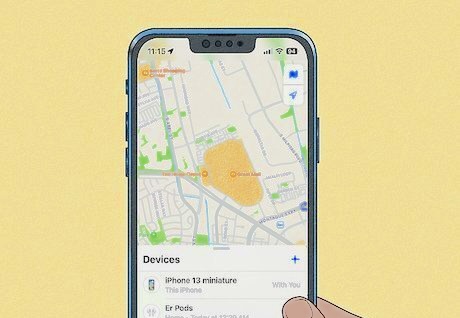
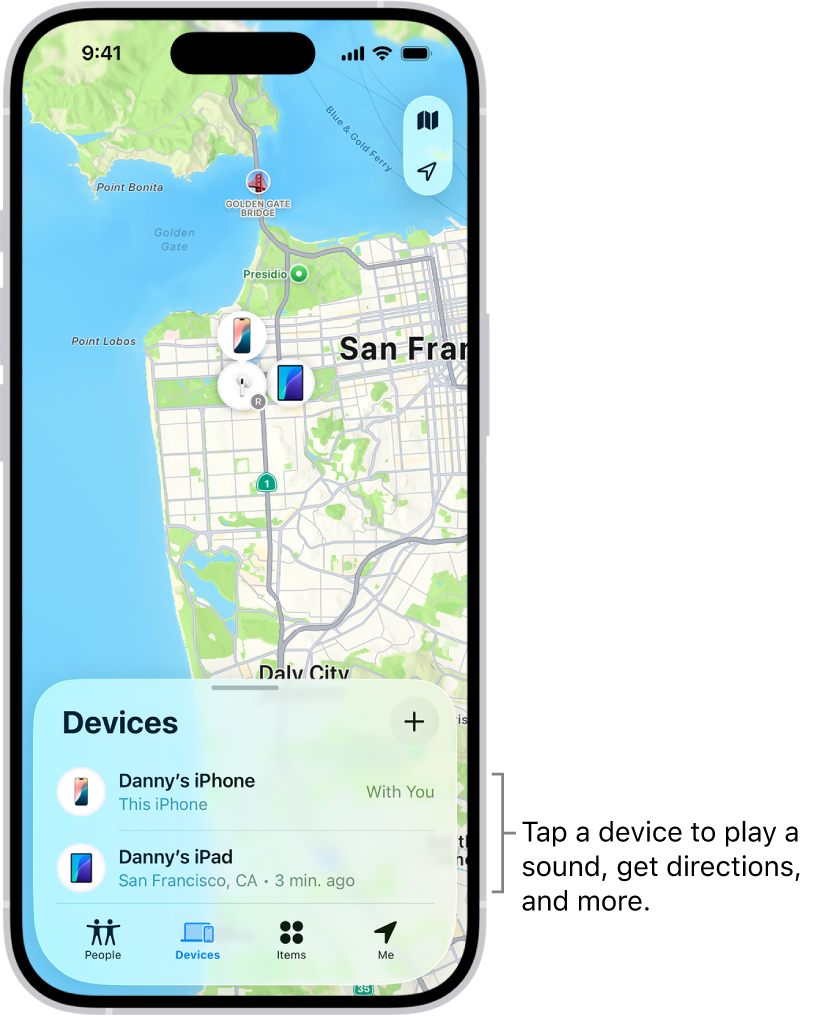
- Open the Find My app
- Select Devices
- Choose the missing iPhone
- View its last known location
Using iCloud on Android or PC
- Visit https://www.icloud.com/find
- Sign in with your Apple ID
- Select the missing device
- View its last known location
Offline Tracking
iPhones running iOS 15 or later can sometimes be detected briefly after shutdown using low‑power Bluetooth signals — but this is not guaranteed.
4. Google Maps Timeline (Android & iPhone)
Google Maps Timeline stores a history of locations visited by the device. This can help you determine where the phone was before it turned off.
Requirements
- Google Maps installed
- Location History enabled
- Signed into a Google account
How to Use Google Maps Timeline
- Visit https://www.google.com/maps
- Sign in with your Google account
- Open the menu → Your Timeline
- Select a date
- View the device’s movement history
Timeline is especially useful when:
- The phone was moving before it turned off
- You want to retrace steps
- You need more context than a single location point
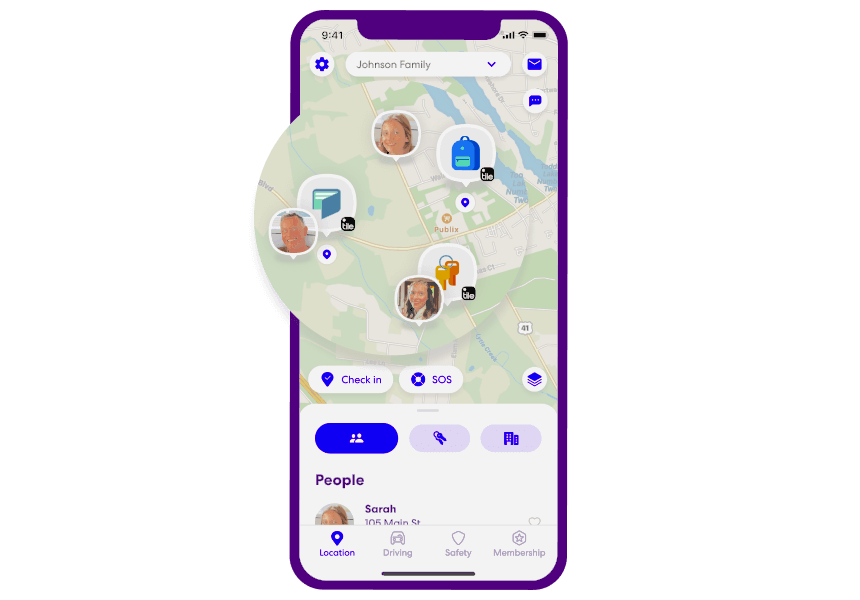
5. Family Locator Apps (Cross‑Platform)
If you want to track a loved one’s phone — such as a child’s device — you can use cross‑platform family locator apps available on official app stores.
Examples include:
Life360
- Google Play Store:
https://play.google.com/store/apps/details?id=com.life360.android.safetymap - Apple App Store:
https://apps.apple.com/app/life360-find-family-friends/id384830320
Google Family Link
- Google Play Store:
https://play.google.com/store/apps/details?id=com.google.android.apps.kids.familylink - Apple App Store:
https://apps.apple.com/app/google-family-link/id1150085200
These apps allow:
- Real‑time location sharing
- Low‑battery alerts
- Geofencing notifications
They cannot track a powered‑off phone in real time, but they can show the last known location and notify you when the device turns back on.
Can You Track a Turned‑Off Phone Using IMEI?
IMEI tracking is often misunderstood. Here’s the truth:
- Only mobile carriers and law enforcement can track IMEI
- IMEI cannot provide real‑time location to regular users
- Carriers may require legal authorization
- IMEI tracking only works when the phone is powered on
If your phone is stolen, you can contact your carrier to request:
- IMEI blocking
- Account suspension
- Assistance with law enforcement
Frequently Asked Questions
Can I track a phone that is completely powered off?
You can only see its last known location.
Can Google Maps track a phone that is off?
No — but Timeline can show past locations.
Can I track a phone using only the phone number?
No. Phone numbers cannot be used for location tracking.
Can I track a phone using IMEI?
Only carriers and law enforcement can access IMEI‑based tracking.
Which method works best for lost phones?
Find My Device (Android) and Apple Find My (iPhone) are the most reliable.
Conclusion
Tracking a phone that is turned off is challenging, but not impossible. While you cannot see real‑time movement, you can still view the last known location, lock the device, erase data, and receive updates when it turns back on.
Whether you use Find My Device, Find My Mobile, Apple Find My, Google Maps Timeline, or a family locator app, these tools give you the best chance of recovering your phone — or at least protecting your personal information.