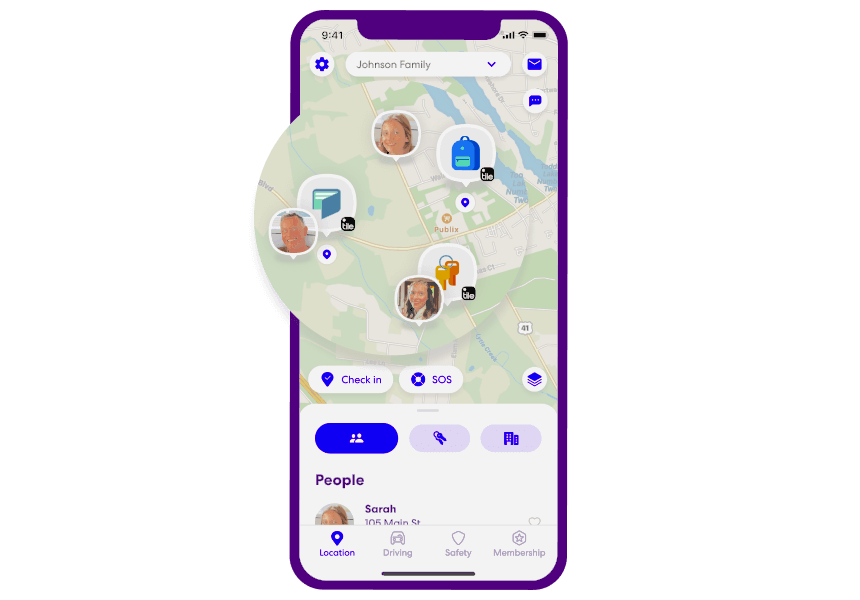

Most people can sense when something feels “off” with their phone — maybe the battery drains too fast, the device heats up for no reason, or apps behave strangely. While these issues can have harmless explanations, they can also signal that someone is tracking your phone without your knowledge.
Phone tracking is more common than many realize. It can happen through hidden apps, misused parental controls, workplace management tools, or even malicious software disguised as something harmless. Understanding the warning signs is the first step toward protecting your privacy.
This guide breaks down how tracking works, the red flags to watch for, and the steps you can take to secure your device.
Can Someone Track Your Phone Without You Knowing?
Yes — both Android and iPhone devices can be tracked without your awareness. Tracking usually happens through software rather than physical hardware. Here are the most common methods:
1. Spyware or Hidden Monitoring Apps
These apps run silently in the background, collecting data such as location, messages, call logs, and browsing activity. They often disguise themselves as system apps.
2. Parental Control Features
If you’re a minor or using a device managed by a parent or guardian, tracking may be enabled for safety purposes.
3. Mobile Device Management (MDM)
Companies often install MDM profiles on employee phones to manage security settings, restrict features, or monitor usage.
4. Malware Disguised as Legitimate Apps
Some malicious apps appear harmless but secretly collect data.
5. Rare Cases: Hardware Implants
Although uncommon, physical tracking chips can be installed on a device if someone has had hands‑on access.
Most tracking today is software‑based, meaning it can happen without physical access to your phone.
8 Warning Signs That Someone May Be Tracking Your Phone
If you notice several of these symptoms at the same time, it’s worth investigating further.
1. Your Battery Drains Faster Than Usual
A sudden drop in battery life — especially when you’re not using your phone heavily — can indicate that a hidden app is running in the background. Tracking software constantly processes and uploads data, which consumes power.
From the document: “Monitoring software on your phone requires running in the background… your battery could get depleted more quickly than normal.”
2. Your Phone Feels Warm Even When Idle
Phones naturally warm up during gaming, video calls, or charging. But if your device heats up while sitting unused, background processes may be active.
3. Unexplained Spikes in Mobile Data Usage
Tracking apps need an internet connection to send collected information to whoever installed them. If your data usage suddenly increases without a clear reason, that’s a red flag.
From the document: “Data usage that suddenly increases could be a sign of unauthorized activities because the monitoring software requires an internet connection.”
4. Your Phone Suddenly Becomes Slow or Laggy
If your device freezes, stutters, or takes longer to open apps, hidden software may be consuming system resources.
5. Strange Noises or Echoes During Calls
Occasional call glitches are normal, but persistent clicking, beeping, or echoing can indicate interference from monitoring tools.
From the document: “Inexplicable noises… can usually be heard during conversations on spied‑on phones.”
6. Messages Marked as Read Without Your Action
If messages appear opened even though you haven’t touched them, it may mean another device or app is accessing your account.
7. Permissions Turning On by Themselves
If your camera, microphone, or location services activate unexpectedly, or if apps request permissions they shouldn’t need, something may be wrong.
Example: A calculator app asking for microphone access is a major red flag.
8. Unknown Admin Apps or MDM Profiles
On Android:
Spyware often requires administrator privileges to prevent removal.
On iPhone:
An unfamiliar MDM profile can give someone remote control over your device.
From the document: “If an unknown MDM file has been installed on your iPhone, then your phone is likely to be tracked.”
What to Do If You Think Someone Is Tracking Your Phone
If multiple warning signs appear, take action immediately. These steps help you regain control of your device and protect your personal information.
1. Change Your Passwords First
Before adjusting settings, update passwords for:
- Email accounts
- Social media
- Cloud storage
- Banking apps
Enable two‑factor authentication wherever possible.
2. Disconnect From the Internet Temporarily
Turning off Wi‑Fi and mobile data stops most tracking apps from sending information. This is not a permanent fix, but it buys you time to investigate.
3. Turn Off Location Services
Disabling location access prevents apps from reporting your real‑time position.
On Android:
Swipe down → tap Location to turn it off.
On iPhone:
Settings → Privacy & Security → Location Services → toggle off.
4. Remove Unknown Device Admin Apps (Android)
Settings → search Device Admin Apps → disable anything suspicious.
Look for apps with generic names like:
- “System Service”
- “Device Manager”
- “Security Control”
5. Remove Unknown MDM Profiles (iPhone)
Settings → VPN & Device Management → remove unfamiliar profiles.
6. Check App Permissions and Uninstall Suspicious Apps
Review which apps have access to:
- Camera
- Microphone
- Location
- Accessibility services
If something looks wrong, uninstall the app or revoke permissions.
7. Factory Reset as a Last Resort
A full reset removes all apps, including hidden spyware. Before resetting:
- Back up important photos
- Save contacts
- Sync essential files
After resetting, avoid restoring from an old backup if you suspect it contains malware.
8. Seek Professional Help for Hardware Concerns
If you notice physical damage, strange holes, or loose components, visit a certified repair center. Hardware‑based tracking is rare but possible.
How to Prevent Your Phone From Being Tracked in the Future
Staying proactive is the best way to protect your privacy. Here’s how to reduce the risk of unauthorized tracking:
- Keep your operating system and apps updated.
- Only install apps from Google Play or the Apple App Store.
- Avoid clicking unknown links in emails or text messages.
- Review app permissions regularly.
- Avoid unsecured public Wi‑Fi networks.
- Remove apps you don’t recognize or no longer use.
- Use built‑in security features like Google Play Protect or Apple’s privacy controls.
- Never leave your phone unattended or unlocked around people you don’t fully trust.
FAQs About Phone Tracking
Can someone track my phone if location services are turned off?
Not through standard location features. However, some apps may still estimate location using Wi‑Fi or Bluetooth if those are enabled.
Can a phone be tracked when it’s turned off?
No. When powered off, the device stops sending location updates. The last known location may still be visible.
How do I know if my phone has spyware?
Look for unusual battery drain, overheating, strange permissions, or unfamiliar apps. Reviewing your app list and permissions is a good starting point.
Is factory resetting enough to remove tracking apps?
Yes, in most cases. A full reset removes all software, including hidden spyware.
Are there built‑in tools that help detect harmful apps?
Yes:
- Android: Google Play Protect (available in the Play Store settings)
- iPhone: Built‑in privacy and security settings under Settings → Privacy & Security
Can someone track my phone through my Apple ID or Google account?
If someone has your login credentials, they may access synced data. Changing your passwords and enabling two‑factor authentication prevents this.
Conclusion
Your phone holds your personal conversations, photos, financial information, and daily routines — so it’s natural to feel uneasy when something doesn’t seem right. While unusual behavior doesn’t always mean your phone is being tracked, understanding the warning signs helps you stay in control.
By reviewing permissions, removing suspicious apps, checking for unknown admin access, and keeping your device updated, you can significantly reduce the risk of unauthorized monitoring. Staying alert and proactive is the most effective way to protect your privacy.