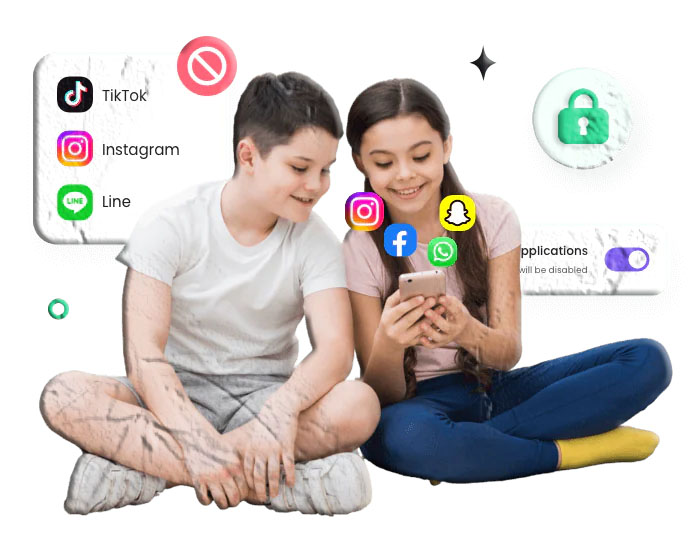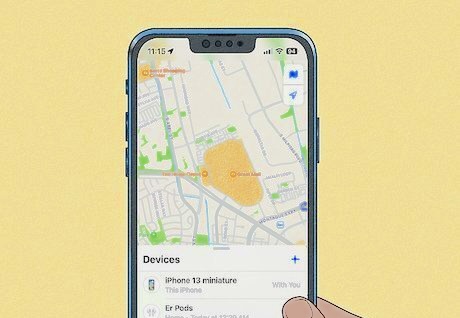

Smartphones have become an integral part of daily life, with a vast majority of children and teenagers now owning their own mobile devices. While these tools offer incredible opportunities for education, communication, and entertainment, they also present significant challenges. Unrestricted access to the internet can expose younger users to inappropriate content, cyberbullying, screen addiction, and contact with strangers.
For parents, navigating this digital landscape requires a proactive approach. Understanding how your child uses their device is essential for guiding them toward healthy digital habits. This is where phone monitoring applications come into play. By utilizing legitimate, policy-compliant applications, parents can gain valuable insights into their child’s digital world, ensure their safety, and foster open conversations about responsible device usage.
This comprehensive guide explores the ten best free (and freemium) phone monitoring apps for Android. Crucially, to ensure optimal security and compliance with software standards, every application featured in this list is available directly from official app marketplaces.
Essential Criteria for Choosing a Phone Monitoring App
With the Google Play Store offering numerous parental control and monitoring solutions, narrowing down the right choice can be overwhelming. When evaluating these applications, several core factors determine their effectiveness and safety:
-
Official Marketplace Availability: The most critical factor for device security is sourcing applications exclusively from the Google Play Store or the Apple App Store. Applications that require sideloading (downloading APKs from third-party websites) often bypass built-in security scans, potentially exposing your device to malware or data breaches.
-
Ease of Use and Interface: A monitoring application should simplify digital parenting, not complicate it. The dashboard should be intuitive, allowing parents to quickly review screen time metrics, locate the device, or adjust app limits without navigating complex menus.
-
Comprehensive Feature Set: The ideal application offers a balanced mix of features, including web filtering, application blocking, location tracking, and detailed activity reports.
-
Reliability and Device Performance: Monitoring software runs continuously in the background. High-quality applications are optimized to ensure they do not drastically drain the target device’s battery or slow down its processing speed.
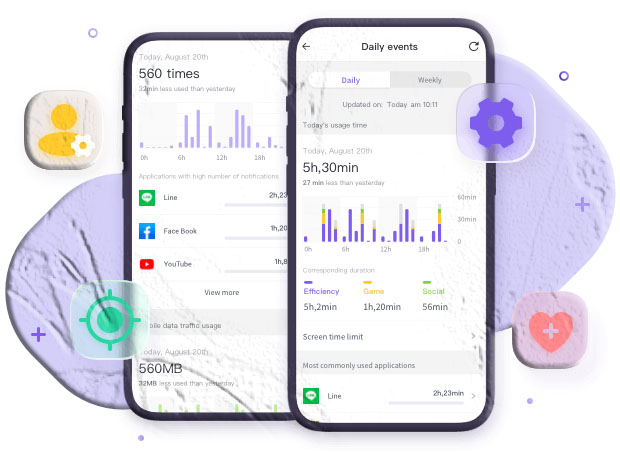
The Reality of “Completely Free” Monitoring Apps
When searching for free monitoring software, it is important to understand the software market’s underlying economics. Developing, securing, and maintaining these platforms requires significant resources. Consequently, truly “free” applications are rare.
Google Family Link stands out as the primary exception, as it is funded and maintained by Google’s broader ecosystem. Most other high-quality applications operate on a “freemium” model. This means they offer a foundational set of features—such as basic web filtering or standard screen time limits—at no cost, while reserving advanced features like geofencing, detailed location history, or cross-platform syncing for a paid subscription.
Applications claiming to offer unrestricted, stealth monitoring entirely for free outside of official app stores should be avoided, as they frequently harvest and sell user data to sustain their operations.
Top 10 Phone Monitoring Apps for Android
The following applications have been selected based on their adherence to app store policies, user reviews, and overall utility for family management.
1. Google Family Link
Google Family Link is the undisputed gold standard for free Android monitoring. Because it is developed directly by Google, it integrates seamlessly into the Android operating system at a system level. This deep integration makes it highly reliable and extremely difficult for children to bypass or uninstall without parental authorization.
Key Features:
-
Set daily screen time limits and schedule mandatory device downtime (e.g., for bedtime).
-
Approve or block application downloads directly from the Google Play Store.
-
Track the live location of the Android device on an interactive map.
-
View detailed daily, weekly, and monthly activity reports showing exactly how much time is spent on specific apps.
Free Tier & Pricing: Completely free with no premium tiers or hidden costs.
Verdict: For households primarily using Android devices, Google Family Link is the most logical starting point. It provides a robust, highly secure suite of essential management tools without requiring a subscription.
Download: Download Google Family Link on Google Play
2. Microsoft Family Safety
Microsoft Family Safety is an excellent cross-platform solution, particularly for households that utilize both Android mobile devices and Windows computers or Xbox consoles. It unifies digital tracking across these diverse ecosystems into a single, cohesive parental dashboard.
Key Features:
-
Cross-platform screen time management (limits apply across Android, Windows, and Xbox).
-
Robust web and search filtering utilizing Microsoft Edge.
-
Detailed activity reporting encompassing app usage, web browsing, and search history.
-
Location tracking and saved places.
Free Tier & Pricing: The core monitoring features are entirely free. A premium Microsoft 365 Family subscription unlocks advanced features like drive safety tracking and precise location alerts.
Verdict: If your family’s digital life spans beyond just smartphones and includes Windows PCs or gaming consoles, Microsoft Family Safety provides a beautifully integrated, unified approach to monitoring.
Download: Download Microsoft Family Safety on Google Play
3. Qustodio Parental Control
Qustodio is widely recognized for its comprehensive reporting capabilities and broad device compatibility. It offers a highly granular look at digital habits, translating raw data into easy-to-understand visual dashboards.
Key Features:
-
Smart web filtering that automatically blocks inappropriate content even in private browsing modes.
-
Time limits that can be set for individual applications or specific device functions.
-
An SOS panic button that allows the child to send instant location alerts to trusted contacts.
-
Detailed timeline views of the child’s daily device interaction.
Free Tier & Pricing: Qustodio offers a free basic version that covers a single device with foundational web filtering and standard time limits. Premium plans offer multi-device support and advanced analytics.
Verdict: Qustodio’s free version is restrictive regarding device count, but the quality of its web filtering and the clarity of its reporting make it a premium-feeling application even on the unpaid tier.
Download: Download Qustodio on Google Play
4. Bark – Parental Controls
Bark takes a unique, trust-based approach to digital monitoring. Rather than requiring parents to comb through every text message or block of web history, Bark utilizes advanced machine learning algorithms to scan the device in the background. It only alerts parents when it detects potential issues.
Key Features:
-
Scans texts, emails, and various social media platforms for signs of cyberbullying, adult content, or depression.
-
Provides actionable, psychologically backed advice on how to handle flagged alerts.
-
Includes standard screen time management and web filtering functionalities.
-
Location sharing and check-in features.
Free Tier & Pricing: The Google Play version (Bark Kids) pairs with the parent app. Bark offers a limited free trial, transitioning into a paid subscription for full AI-scanning capabilities, though basic location and screen time tools may vary by tier.
Verdict: Bark is highly recommended for older children and teenagers. Its alert-based system respects the child’s privacy while still keeping parents informed of genuine digital dangers.
Download: Download Bark on Google Play
5. Norton Family
Developed by the global cybersecurity leader NortonLifeLock, Norton Family focuses heavily on fostering healthy habits and facilitating educational screen time, rather than strictly acting as a surveillance tool.
Key Features:
-
“School Time” mode minimizes distractions by restricting access to everything except essential educational sites during class hours.
-
Deep search supervision shows parents the exact keywords their children are searching for online.
-
Video supervision tracks the viewing history on platforms like YouTube.
-
Instant device lock functionality.
Free Tier & Pricing: Norton Family offers a generous free trial period. While it eventually requires a subscription (often bundled with Norton’s antivirus suites), the trial provides full access to its premium monitoring suite.
Verdict: For parents who want to prioritize educational focus and deep web-search monitoring, Norton Family provides enterprise-grade oversight tailored for household use.
Download: Download Norton Family on Google Play
6. Kaspersky Safe Kids
Kaspersky Safe Kids is another monitoring solution born from a major cybersecurity firm. It provides a solid foundation of digital safety tools with a surprisingly generous free tier.
Key Features:
-
Categorized web filtering to block access to adult content, gambling, and violence.
-
App usage control to restrict the downloading of age-inappropriate applications.
-
Device usage scheduling to manage daily screen time allowances.
-
Battery tracker alerts parents when the child’s device is critically low on power.
Free Tier & Pricing: The free version includes online content filtering, app usage control, and screen time management. The premium version adds GPS tracking, social network monitoring, and real-time alerts.
Verdict: Kaspersky Safe Kids offers one of the most robust unpaid tiers available, making it a highly attractive option for parents who need strict web and app filtering without a monthly fee.
Download: Download Kaspersky Safe Kids on Google Play
7. AirDroid Parental Control
AirDroid Parental Control excels in remote monitoring capabilities. It is designed to give parents a closer look at exactly how a device is being used in real-time, functioning as a comprehensive digital safety net.
Key Features:
-
Screen mirroring allows parents to view the child’s device screen remotely in real-time.
-
Notification syncing forwards the child’s incoming notifications to the parent’s device.
-
Real-time location tracking with detailed route history and geofencing.
-
App management and usage reports.
Free Tier & Pricing: AirDroid offers a free trial to test its advanced remote features. Following the trial, a subscription is required to maintain access to screen mirroring and notification syncing.
Verdict: If you require immediate, real-time visual confirmation of device activity, AirDroid’s mirroring technology is highly effective, though it transitions to a paid model after the trial.
Download: Download AirDroid Parental Control on Google Play
8. Life360: Live Location Sharing
While not a traditional screen-time management app, Life360 is arguably the most popular family monitoring application focused specifically on physical location and driving safety.
Key Features:
-
Highly accurate, real-time GPS tracking displayed on a private family map.
-
Automated place alerts notify you when family members arrive at or leave frequent destinations (school, work, home).
-
Crash detection and driving reports monitor vehicle speed and hard braking (ideal for teen drivers).
-
In-app messaging and one-tap SOS functionality.
Free Tier & Pricing: The core location sharing, two place alerts, and basic driving history are available for free. Premium tiers offer advanced telematics, extended history, and emergency dispatch services.
Verdict: If your primary concern is physical safety, location tracking, and monitoring a newly licensed teenager’s driving habits, Life360’s free tier is an essential download.
Download: Download Life360 on Google Play
9. Find My Kids: Location Tracker
Find My Kids bridges the gap between basic location sharing and deeper device monitoring. It is designed specifically with younger children in mind, ensuring parents can always reach them.
Key Features:
-
Loud signal feature allows parents to ring the child’s phone loudly, even if it is set to silent mode.
-
Application usage statistics show what apps are being used while the child is out of the house.
-
Precise GPS tracking and location history routing.
-
Battery control notifications.
Free Tier & Pricing: The app offers a free tier focused purely on location tracking. Advanced features, including the loud signal and app statistics, require an active subscription.
Verdict: The ability to bypass a phone’s silent mode to ensure your child hears your call makes Find My Kids an incredibly practical tool for parents of elementary and middle schoolers.
Download: Download Find My Kids on Google Play
10. Screen Time Parental Control
As the name suggests, this application is hyper-focused on managing the clock. It is built to prevent digital addiction by giving parents granular control over when and for how long a device can be used.
Key Features:
-
Instantly pause the device with a single button press.
-
Set daily time limits for individual apps or entire categories (e.g., all games).
-
A unique reward system allows children to earn extra screen time by completing chores or homework.
-
Detailed daily summaries of web and search history.
Free Tier & Pricing: The free “Basic” version provides a daily activity history and basic tracking. The “Premium” version unlocks the pausing feature, time limits, and the reward system.
Verdict: If your primary battle is simply getting your child to put the phone down, the chore-based reward system in Screen Time turns device management into a cooperative, positive experience.
Download: Download Screen Time on Google Play
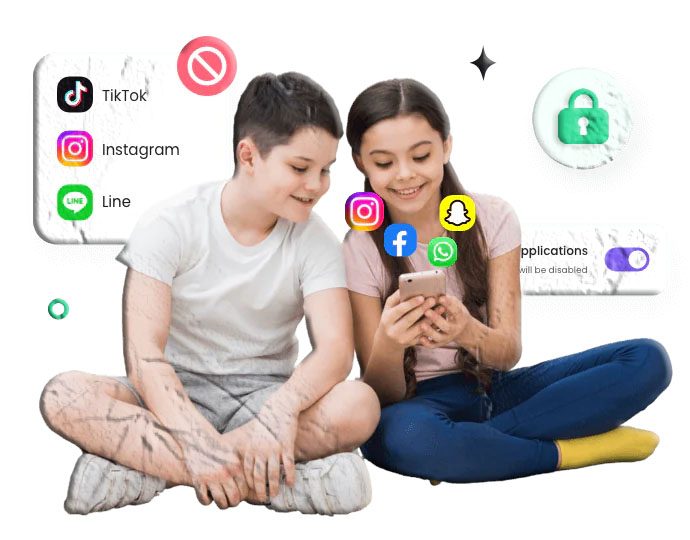
Best Practices for Monitoring a Mobile Device
Installing a monitoring application is only the first step. To effectively manage a device without damaging the parent-child relationship, consider the following best practices:
1. Define Your Parenting Goals
Before downloading an app, determine what you are trying to achieve. Are you trying to limit late-night scrolling? Prevent access to adult content? Ensure your teen arrives at school safely? Your primary goal should dictate which app you choose and which features you activate.
2. Communicate Openly
Unless dealing with a severe, immediate safety threat, monitoring should not be a secret. Installing tracking software behind a child’s back often leads to a breakdown in trust and encourages them to find technical workarounds. Sit down with your child and explain that the software is a safety tool, much like a seatbelt, designed to protect them as they learn to navigate the internet.
3. Customize Settings Gradually
Do not immediately lock down every feature of the device. Start by blocking inherently dangerous content and setting reasonable bedtime limits. As your child demonstrates responsible digital behavior, you can gradually loosen the restrictions to foster independence.
4. Review the Data Together
Use the data gathered by these applications as a conversation starter. If an app report shows your child is spending four hours a day on a specific social media platform, use that information to discuss time management and digital balance, rather than simply issuing a punishment.
Beyond Phone Monitoring: Fostering Digital Citizenship
While applications are excellent for enforcing boundaries, true digital safety comes from education. A monitoring app cannot teach a child how to respond to cyberbullying or how to identify a phishing scam.
Use the insights provided by these tools to guide your conversations. Teach your children about the permanence of their digital footprint. Discuss the reality that not everything they see on social media is accurate or healthy. By combining the technical oversight of a monitoring app with consistent, empathetic communication, you can equip your child with the skills they need to thrive in a connected world.
Frequently Asked Questions
Are completely free monitoring apps safe to use? If the application is downloaded from the official Google Play Store (like Google Family Link), it is generally safe, as it must adhere to strict developer policies regarding data privacy and security. However, you should completely avoid “free” monitoring apps that require you to sideload them from third-party websites, as these often contain malware or sell your private data to third parties.
Do these apps work if the parent uses an iPhone and the child uses an Android? Yes. Almost all major monitoring platforms are cross-platform. You can install the “Parent” version of the app (like Qustodio or Life360) on your iOS device and link it to the “Child” version installed on the Android device. The data is synced via cloud servers.
Will my child know the app is installed? Yes. Under Google Play Store policies, applications cannot act as hidden spyware. Legitimate parental control applications will have a visible icon on the device and will frequently display a persistent notification indicating that the device is being managed. This transparency is required for compliance and encourages open communication.
Can my child just delete the monitoring app? High-quality applications like Google Family Link and others listed here utilize Android’s “Device Administrator” permissions. Once this permission is granted during setup, the application cannot be uninstalled or disabled without entering the parent’s specific PIN or password.
Do these apps drain the phone’s battery? Applications that constantly track real-time GPS coordinates will inevitably consume more battery than standard apps. However, modern monitoring tools are highly optimized. They utilize background location polling and motion sensors to minimize power drain, only requesting location updates at specific intervals or when the device is actively moving.