
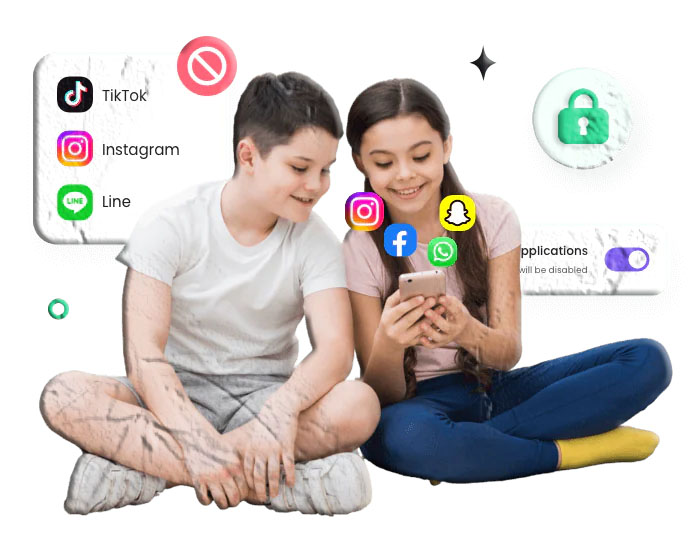

Parental control tools have become a major part of modern digital parenting. They help families manage screen time, block harmful content, and understand how children use their devices. But one question comes up more than almost any other:
Can parental control apps actually see your screen?
The short answer: Some can — but not all. Screen monitoring is a specialized feature, and only certain parental control apps include it. Others focus on broader digital wellbeing tools such as app blocking, location sharing, or time limits.
This guide breaks down how screen monitoring works, which apps support it, and how families can use these tools responsibly.
How Screen Monitoring Works in Parental Control Apps
Screen monitoring allows a parent to view what appears on a child’s device screen. Depending on the app, this may happen through:
- Real‑time screen mirroring
- Automatic screenshots
- On‑demand screenshots
- Image‑based alerts for inappropriate content
These features are designed to help parents understand what their children are doing online — especially younger children who may not recognize digital risks.
However, not every parental control app includes screen monitoring. Many focus on safer, less intrusive features like app blocking or web filtering.
Below are examples of apps available on official app stores that offer some form of screen visibility.
Apps That Support Screen Monitoring
All apps listed below are available on the Google Play Store or Apple App Store, meeting your requirement for platform‑approved tools.
1. AirDroid Parental Control (Screen Mirroring)
AirDroid Parental Control includes one of the most advanced screen‑viewing features among mainstream parental control apps. Parents can mirror their child’s screen in real time, allowing them to see exactly what the child is doing.
Key Capabilities
- Live screen mirroring
- Real‑time updates
- Optional audio monitoring of surroundings (Android only)
- Cross‑platform support
Download Links
- Google Play Store:
https://play.google.com/store/apps/details?id=com.aidroid.parentalcontrol - Apple App Store:
https://apps.apple.com/app/airdroid-parental-control/id1549159973
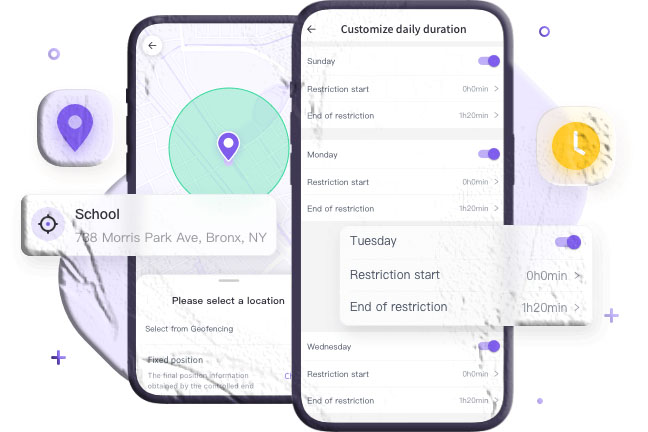
2. Kidslox Parental Control (Screenshot Monitoring)
Kidslox includes a feature called Telescope, which captures screenshots from the child’s device. These screenshots can be taken automatically or manually, depending on the parent’s settings.
If inappropriate content appears — such as nudity — the app can send an alert.
Download Links
- Google Play Store:
https://play.google.com/store/apps/details?id=com.kidslox.app - Apple App Store:
https://apps.apple.com/app/kidslox-parental-control/id914825567
3. FamiSafe Parental Control (Screenshot Alerts)
FamiSafe uses periodic screenshots to help parents understand what their children are viewing. It also includes image detection tools that flag inappropriate content.
Download Links
- Google Play Store:
https://play.google.com/store/apps/details?id=com.wondershare.famisafe - Apple App Store:
https://apps.apple.com/app/famisafe-parental-control-app/id1426355645
4. OurPact Parental Control (On‑Demand Screenshots)
OurPact allows parents to request screenshots of their child’s device at any time. Screenshots can also be scheduled at intervals.
Download Links
- Apple App Store:
https://apps.apple.com/app/ourpact-parental-control-app/id954029412
(Note: The Android version is not available on Google Play.)
Do All Parental Control Apps See Your Screen?
No. Many parental control apps do not include screen monitoring. For example:
- Google Family Link
- Qustodio
- Norton Family
- Microsoft Family Safety
These apps focus on:
- Screen time limits
- App blocking
- Web filtering
- Location sharing
- Activity reports
They do not provide real‑time screen viewing or screenshots.
Should Parents Stop Monitoring Their Child’s Phone?
This is one of the most sensitive questions in digital parenting. The answer depends on the child’s age, maturity, and the family’s communication style.
Below is a balanced, age‑based approach.
Ages 1–10: Active Monitoring Is Often Necessary
Children in this age range are still learning how to navigate the digital world. They may not recognize harmful content or risky behavior.
Parental controls can help:
- Block inappropriate content
- Limit screen time
- Prevent exposure to strangers
- Build healthy digital habits
Monitoring is generally appropriate and expected at this stage.
Ages 11–15: Use Monitoring With Communication
Children in early adolescence often seek independence. Monitoring without explanation can lead to frustration or secrecy.
Parents should:
- Explain why monitoring is used
- Discuss online risks openly
- Set boundaries together
- Review digital habits as a team
This age group benefits from guidance, not surveillance.
Ages 16–18: Gradually Reduce Monitoring
Older teens typically understand digital risks and can manage their own online behavior. Many teens already use features like:
- Do Not Disturb
- Screen time limits
- App timers
- Reduced notifications
At this stage, parental controls should shift toward trust and communication rather than strict monitoring.
For Children: How to Talk About Parental Controls
If you’re a child or teen reading this:
- Parental controls are not meant to punish you
- They help protect you from online risks
- If you feel the controls are too strict, talk to your parents
- Explain how certain limits affect your daily life
- Suggest compromises that still keep you safe
Open communication helps both sides understand each other better.
Frequently Asked Questions
Can Google Family Link see your screen?
No. Family Link does not include screen‑viewing features. It focuses on app limits, activity reports, and content filters.
Can Qustodio see your screen?
No. Qustodio does not support real‑time screen monitoring. It does provide YouTube activity reports and browsing history.
Can parental control apps see everything?
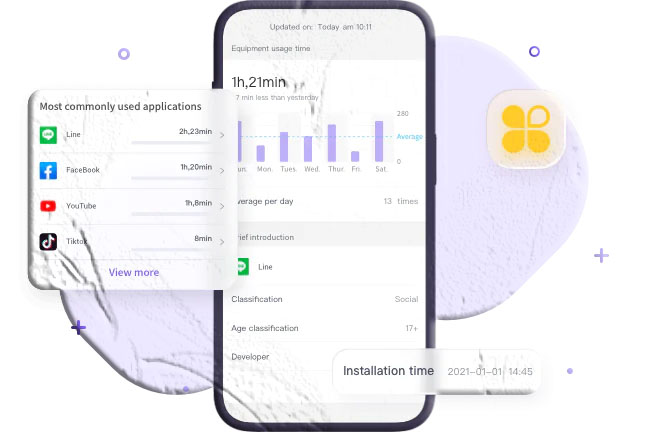
Not everything. They can monitor certain activities such as app usage, browsing history, screen time, and location. Only specific apps support screen viewing.
Can parental controls see Incognito mode?
Some parental control apps can track browsing activity even when Incognito mode is used.
Can a VPN bypass parental controls?
It depends on the tool. Many app‑based parental controls cannot be bypassed with a VPN, but router‑based controls may be easier to circumvent.
Conclusion
Parental control apps vary widely in what they can monitor. While many focus on screen time, app blocking, and web filtering, only a handful include screen‑viewing features such as real‑time mirroring or screenshot alerts.
For families, the most important factor is not the technology itself — it’s the communication behind it. When parents and children work together to create healthy digital habits, parental controls become a tool for safety rather than surveillance.

Add comment